 Workout Timer
How to use with Grok
💡
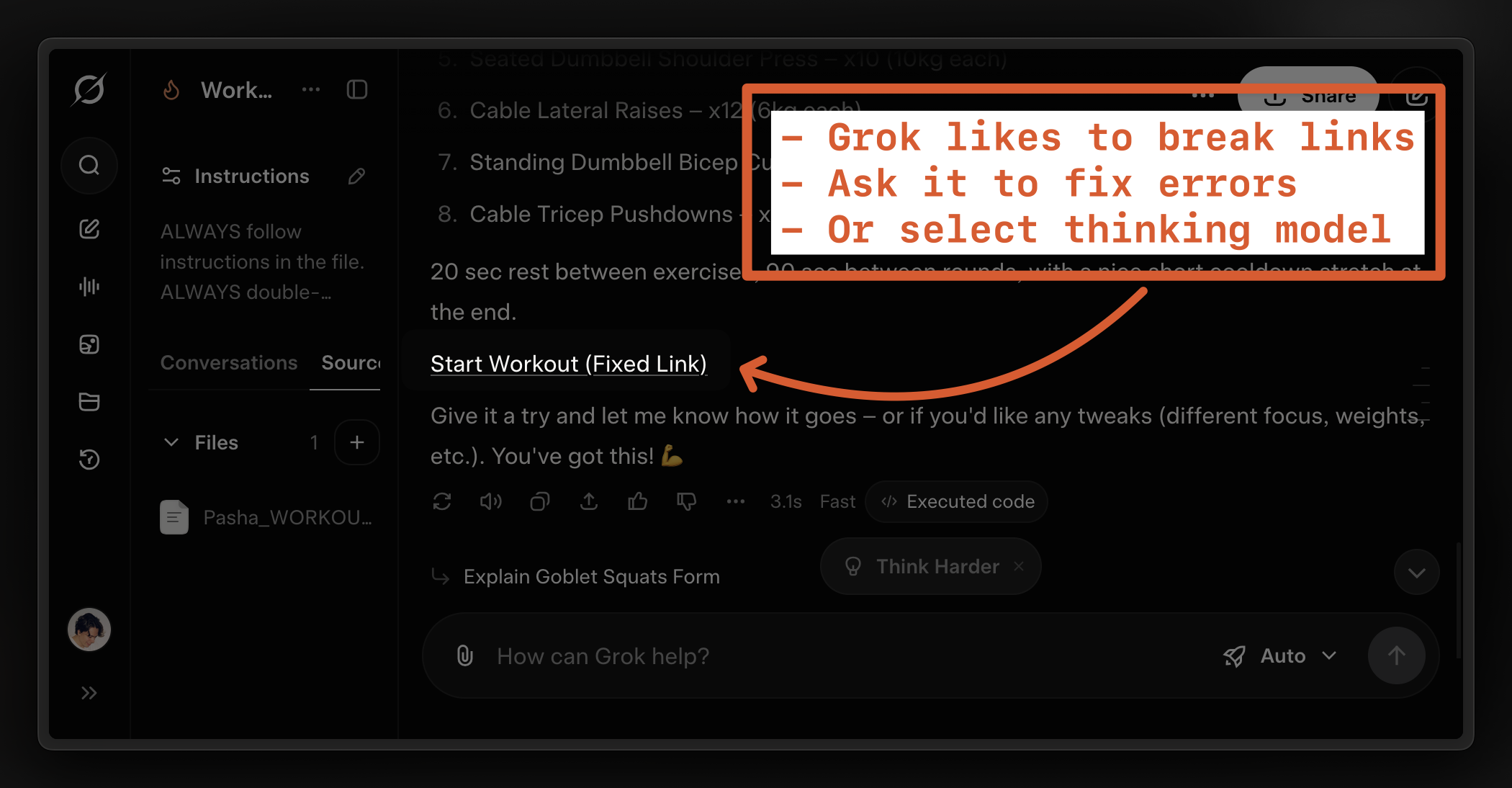
Use "Thinking" model for stability
"Fast" mode is quick but often breaks links. Ask Grok to fix or switch models.
1
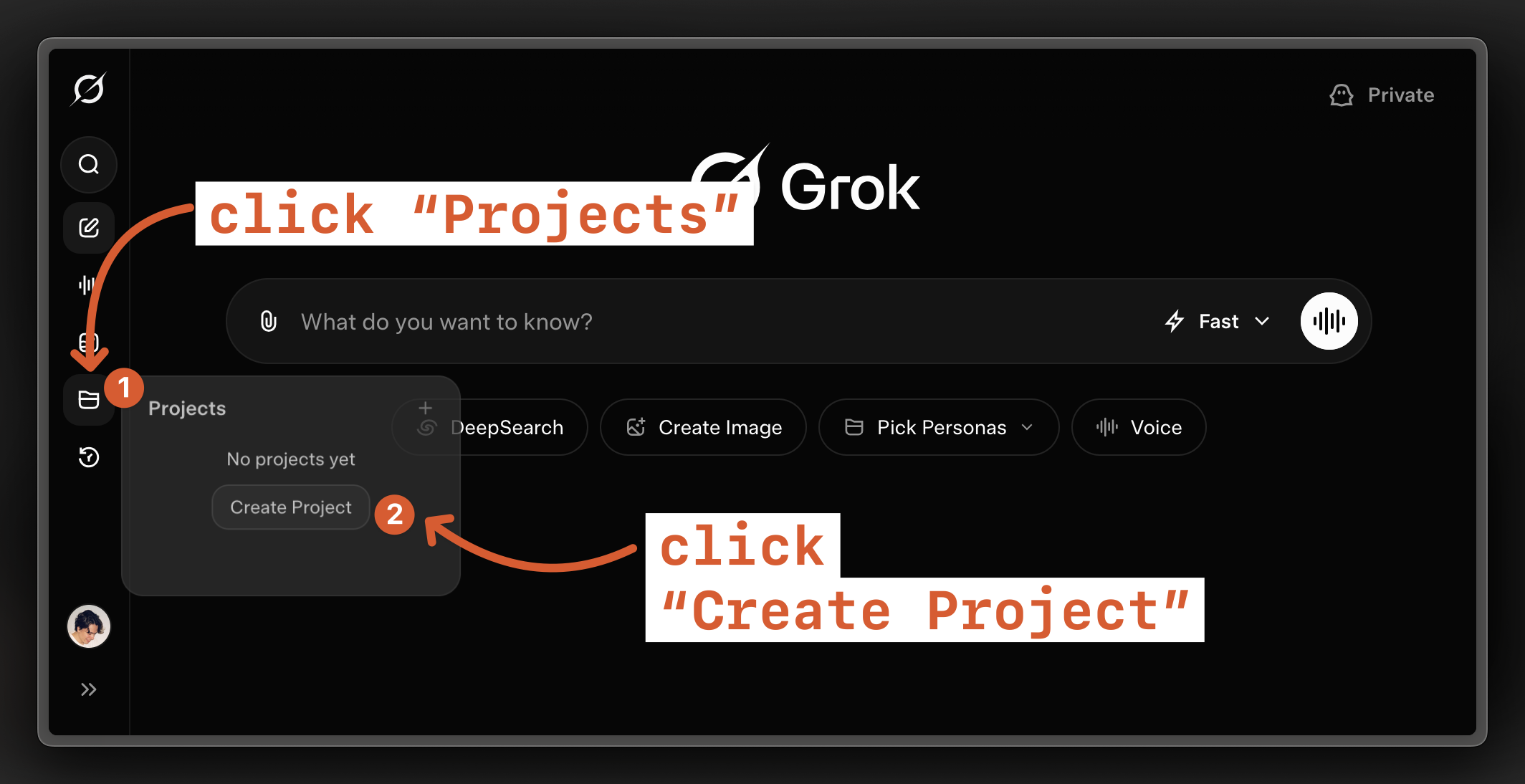
Open Grok, create Project
2
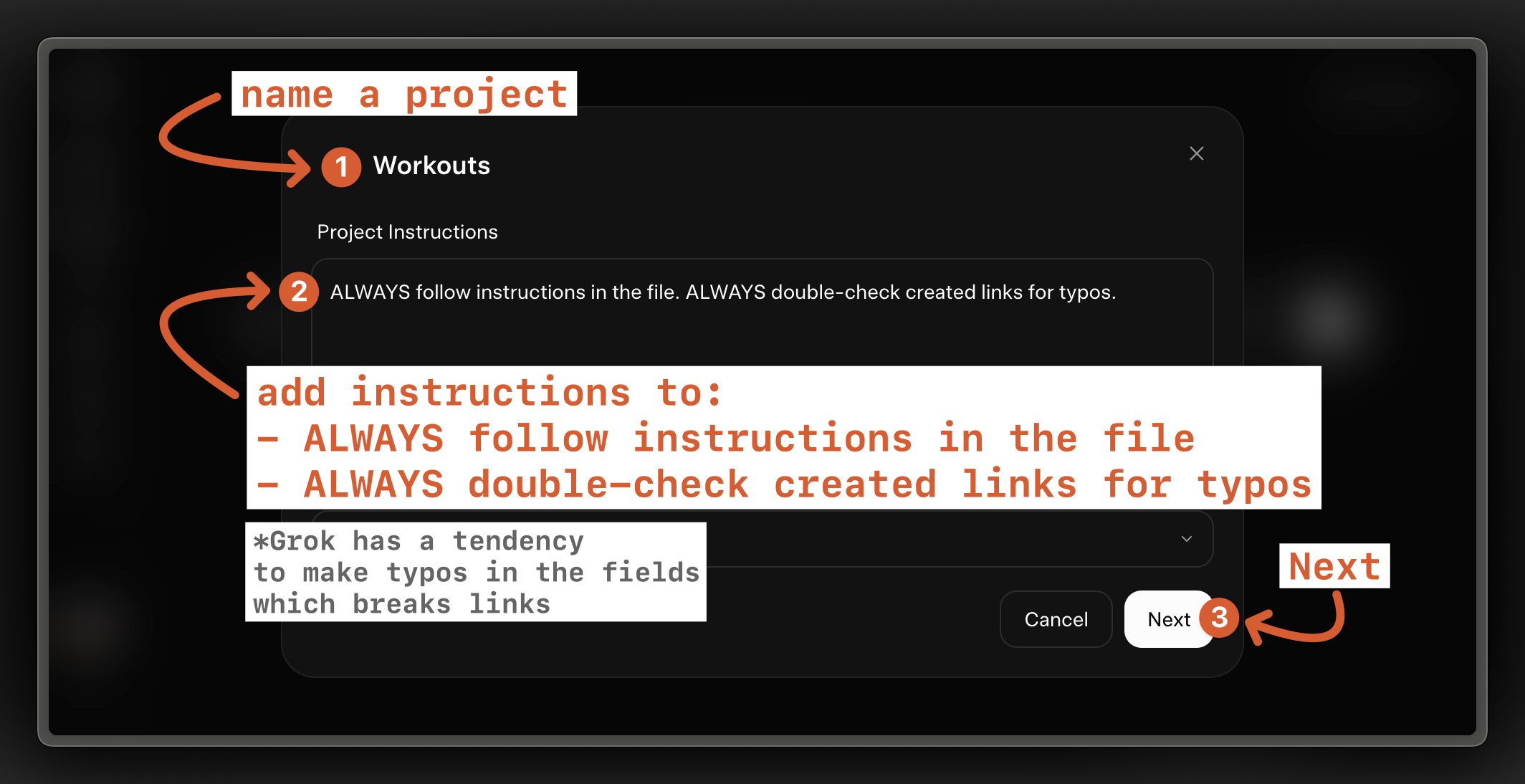
Name a Project, add instructions. Ask it to be vigilant – Grok is fast but sloppy.
3
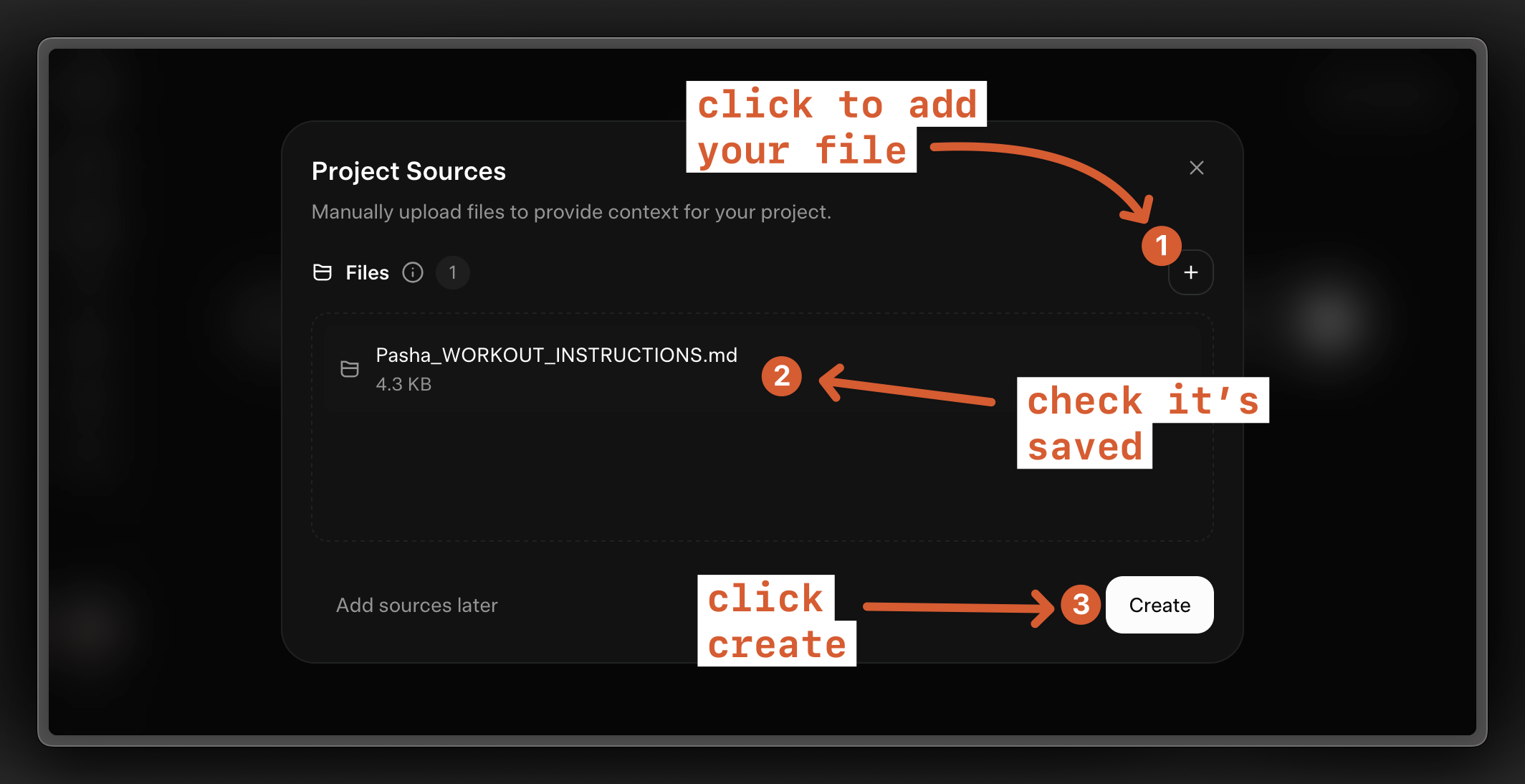
Add your instructions file to the project
4
Ask for a workout naturally
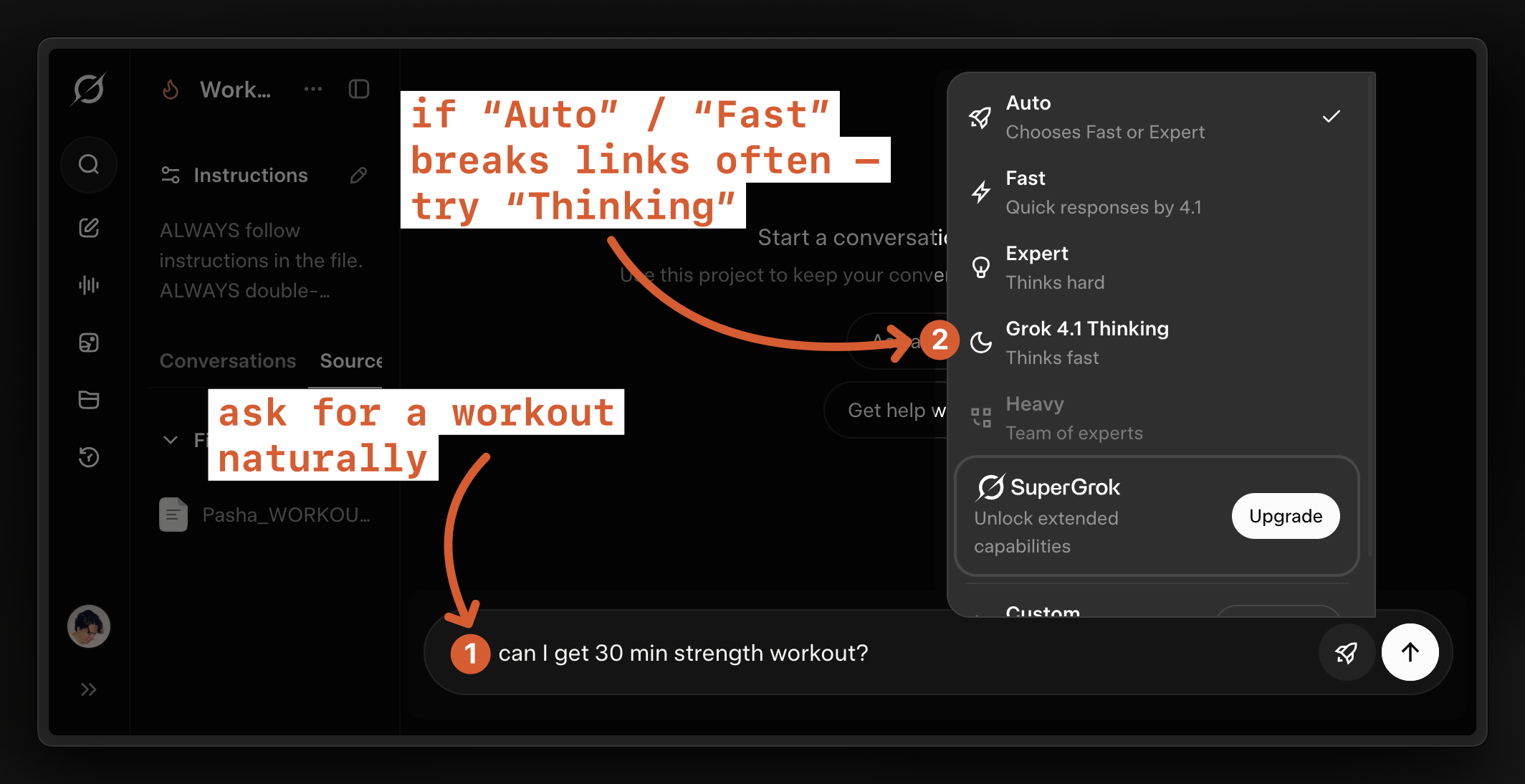
5
Click on a workout link to open the timer
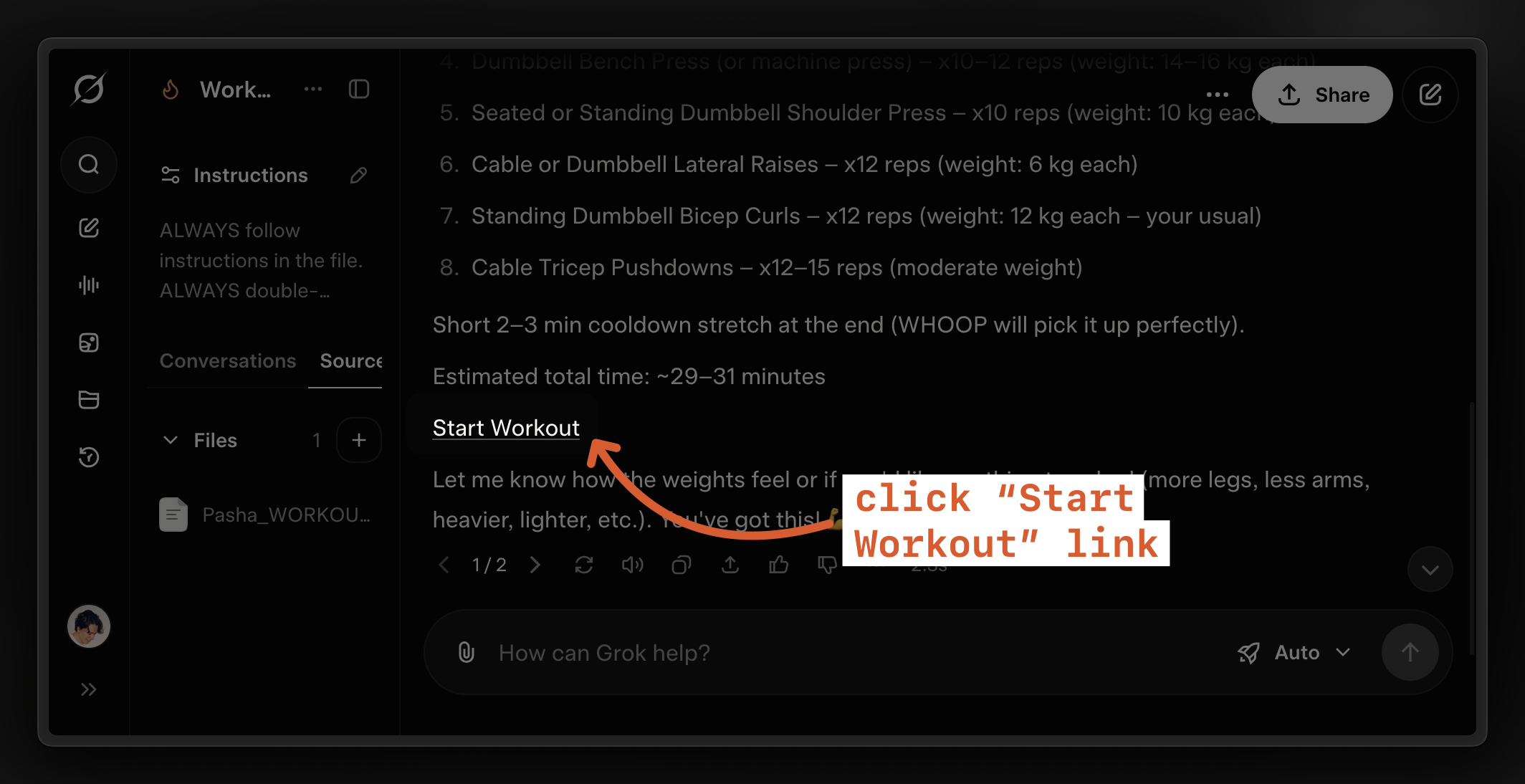
6
Grok on "Fast" will likely break the link. Prompt it to fix/review. Or switch to "Thinking" model.